
Get Started with Budgeting and Planning in SAP Utilizing out-of-the-box Fiori Apps
July 21, 2021 | by Jodi Abrams
You can spend months writing up the requirements for a perfect budgeting solution, or you can use what is already at your fingertips in SAP S/4HANA. While Fiori isn’t always the UI of choice for super users, it does have some slick apps that are quite powerful.
Sales Planning
When going through your planning phase, you may have a variety of ways to come up with your projected values for the year. This can include looking at historical data, market trends and other factors. Once your forecasts are ready, you’ll need to load them into SAP in order to report on them.
The Fiori Apps for loading these in is called Manage Sales Plans. Here, you can download the expected template, and easily load your data into the system. These plans can be based on different parameters depending on your reporting needs. For example you can load by material, customer, customer group, sales rep etc.
You can then execute your reports against actuals each month. Fiori comes with pre-configured reports out of the box. You can enhance them or choose to make your own.

Cost Planning
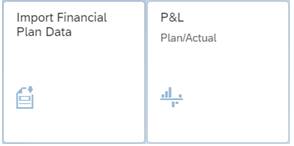
The cost side is similar. Depending on the parameters you have and the reporting you would like to use, you would download the corresponding template in the Import Financial Plan Data transaction. You then load your data into the system and begin your reporting.
With the flexibility to load your data in by cost centre, cost element or GL account, you have many different ways to report on your data. For example you can easily see your planned expenses by location, type etc. From now on, answering the questions of “did we go overbudget on payroll for our Chicago Location” can be done with a couple clicks.
The end results are presentation worthy reports and a clear picture of your plan vs. actual:


While much of this is out of the box, there are areas where you can enhance and go beyond standard SAP. You can pull this into SAP Analytics Cloud for further analysis and use these values along with other cost information for profitability analysis.
If you are thinking about trying some of these out, please get in touch and we can give you a walk-through.
With input from: Julio Gomez, Roberto Franchini and Walid Ahmed
About the Author

Jodi Abrams
Related Articles
Why SAP Business One Customers Should Consider Moving to Acumatica
SAP Business One has served growing companies well for years. Here's why Acumatica Cloud ERP is worth a look as you plan your next ERP decision.

Wayne Safety Upgrades Operations and Warehouse with Acumatica and CONTAX
Wayne Safety replaced its 30-year-old DOS-based ERP with Acumatica Cloud ERP, implemented by CONTAX, and went live a month early with 35%+ better order management and a 5-day faster close.
LCG Foods Automates Retail EDI in Acumatica with Arcus
LCG Foods connected its Acumatica Cloud ERP to Farm Boy, Whole Foods Market, Sobeys, Nature's Emporium and Costco.ca with Arcus for Acumatica, fully managed cloud EDI from CONTAX.