
How SAP Developers Will Use Joule to Build Smarter, Faster, and Cleaner in S/4HANA and BTP
August 13, 2025 | by Rick Kromkamp

This article is part of our ongoing series exploring SAP Joule and SAP Business AI, helping SAP professionals understand what these tools mean for their work now and in the future.
If you missed the earlier articles, check them out:
1. Introduction to SAP Joule: What You Need to Know
2. SAP Joule in Action: Practical Business Scenarios
3. SAP Joule and the Future of Business AI
In this article, we’re going deeper. Our focus: how SAP technical analysts and developers can leverage Joule to design and implement solutions in S/4HANA and BTP. We’ll explore specific use cases where Joule reduces development time, guides cleaner architecture, and ensures best practices.
1. The Shift: From Code-First to AI-Guided Development
Traditionally, SAP development began with a problem statement, a whiteboard, and a lot of manual research through SAP Notes, SE93, SE24, etc. Developers wrote custom ABAP or extended standard code using user exits, BADIs, or enhancement points.
With Joule, that early research and solution-design phase changes dramatically. Developers can now describe their problem in natural language and let Joule suggest a technical approach, complete with relevant SAP APIs, CDS views, and extension points.
2. Creating a Custom Report with Joule in S/4HANA
Where: Inside S/4HANA, via SAP Fiori or SAP Business Application Studio
Steps:
• Open SAP Business Application Studio
• Activate Joule via the command palette or sidebar
• Describe the requirement:
“Create a custom report listing all open purchase orders older than 90 days with vendor contact details”
• Joule generates the ABAP CDS View, annotations, and Fiori elements
• You review and refine the code
• Deploy, test, and transport as usual
Sample Joule-generated CDS View:
@AbapCatalog.sqlViewName: 'ZPO90DAY'
@AccessControl.authorizationCheck: #CHECK
@EndUserText.label: 'Open Purchase Orders Older Than 90 Days'
define view ZPO_Open_90Days as select from ekko
inner join lfa1 on ekko.lifnr = lfa1.lifnr
{
    key ekko.ebeln,
    ekko.bedat,
    ekko.lifnr,
    lfa1.name1 as VendorName,
    lfa1.telf1 as VendorPhone,
    lfa1.smtp_addr as VendorEmail
}
where ekko.bedat < add_days( current_date, -90 )
and ekko.loekz = ''
Before vs Now:
• Historically: Manual table joins, SE11 lookups, SE38 coding
• With Joule: Instant CDS generation. Your role shifts from “code builder” to “code reviewer and optimizer”
3. Building an Enhancement in S/4HANA with Joule
Where: Inside S/4HANA, starting from the object context
Example: Trigger an email to a vendor when a PO is released
Steps:
• Open the relevant business object in ABAP Development Tools
• Ask Joule:
“When a PO is released, send an email to the vendor with PO number and release date”
• Joule identifies the enhancement spot (e.g., ME_PROCESS_PO_CUST BADI), proposes the method, and provides skeleton ABAP code
Sample Joule-generated ABAP:
METHOD if_ex_me_process_po_cust~post.
  DATA: lv_email TYPE ad_smtpadr,
        lv_subject TYPE so_obj_des,
        lv_body TYPE solisti1 OCCURS 0.

  SELECT SINGLE smtp_addr INTO lv_email
    FROM lfa1
    WHERE lifnr = im_po->get_vendor( ).

  lv_subject = |PO { im_po->get_po_number( ) } Released|.
  APPEND |Your purchase order has been released on { sy-datum }.| TO lv_body.

  CALL FUNCTION 'SO_NEW_DOCUMENT_SEND_API1'
    EXPORTING
      document_data = VALUE sofolenti1( obj_descr = lv_subject )
      document_type = 'RAW'
    TABLES
      object_content = lv_body
    EXCEPTIONS
      OTHERS = 1.
ENDMETHOD.
Before: Manual enhancement spot research, trial-and-error coding
Now: Instant lookup and scaffolding, saving hours
4. From Legacy Enhancement to Clean Core
Where: Transitioning from on-prem modifications to side-by-side extensions in SAP BTP
Historical Approach:
• Modify standard code or use implicit enhancements in ECC
• Risk: Technical debt and upgrade headaches
Today with Joule:
• Describe the requirement:
“When a sales order is created, trigger an external API call to update a third-party system”
• Joule suggests an event-based extension in SAP BTP using SAP Event Mesh
• Joule generates Node.js (or Java) code for a CAP app that subscribes to the event and calls the API
Sample Joule-generated Node.js handler:
srv.on('SalesOrder.Created', async (req) => {
  const soData = req.data;
  await fetch('https://thirdparty.example.com/api/update', {
    method: 'POST',
    headers: { 'Content-Type': 'application/json' },
    body: JSON.stringify(soData)
  });
});
Key Difference:
• Before: Custom ABAP logic in USEREXIT_SAVE_DOCUMENT
• Now: Logic runs outside the core in BTP, upgrade-safe and clean
5. Top 7 Joule Prompts for Developers
Try these real-world examples:
• Generate a CDS view showing open POs with vendor details and delivery date
• Suggest the best enhancement spot for sending email notifications when a PO is released
• Write ABAP code to update a custom table after a goods receipt
• Propose a clean core approach for integrating a third-party tax service during sales order creation
• Generate CAP Node.js code to call an external API when a sales order is created
• Optimize this CDS view for performance on large datasets
• List all available business events for the Purchase Order object in S/4HANA Cloud
Conclusion
Joule is not just another developer tool. It is part of a shift in how SAP professionals design, build, and maintain enterprise systems. Whether it is helping you generate a quick ABAP report, guiding you toward a clean core extension, or simply making your day-to-day coding more efficient, Joule is already reshaping the developer experience in S/4HANA and BTP.
This is only the beginning. As SAP continues to enhance Joule’s capabilities, developers and technical analysts will find even more ways to streamline work, reduce complexity, and align with SAP’s best practices.
To learn more about how CONTAX Inc. can help your organization get the most from SAP Joule and SAP Business AI, visit www.contax.com or email us at info@contax.com.
About the Author

Rick Kromkamp
Related Articles
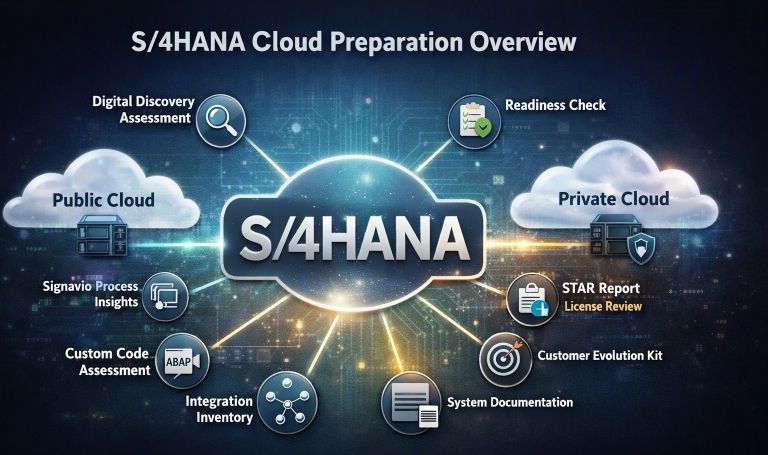
S/4HANA Public vs. Private Cloud — What ECC Customers Should Be Doing Now
A practical guide showing ECC customers the lowcost, highimpact steps they should begin now to ensure a smooth and wellprepared migration to S/4HANA Public or Private Cloud.

S/4HANA Public vs. Private Cloud — Understanding the True Cost Picture
The true cost dynamics of SAP S/4HANA Public vs. Private Cloud, and how subscription, implementation, and lifecycle factors shape longterm total cost of ownership.

S/4HANA Public vs. Private Cloud — Understanding the Fundamentals
A practical overview of the key differences between SAP S/4HANA Public Cloud and Private Cloud to help choose the right path forward.